InfiShark Tech
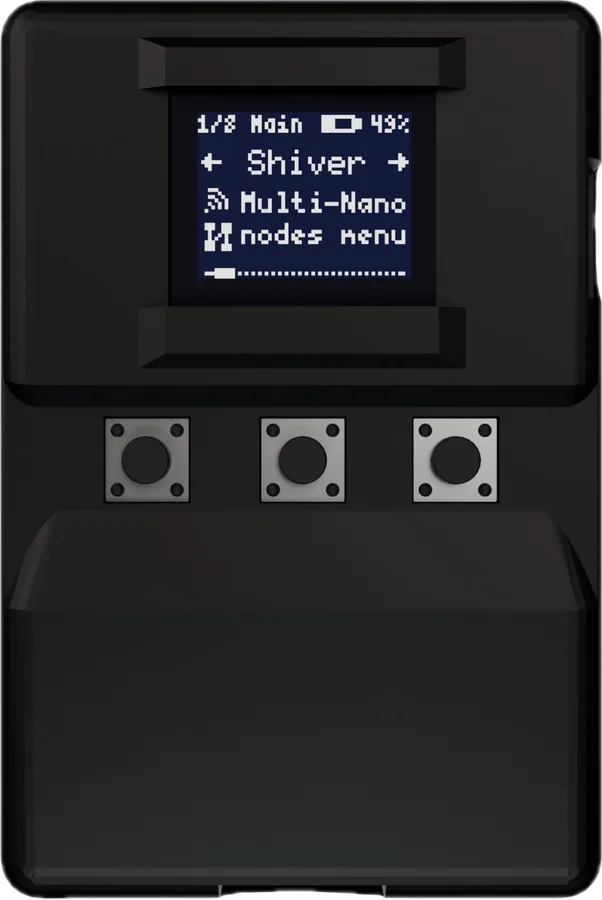
BLEShark Nano Try portable Wi-Fi, Bluetooth and infrared experiments.
Wi-Fi Bluetooth LE Infrared USB-C
In stock at InfiShark when checked on 2026-09-24.
Bring along USB-C charging with the switch ON; Wi-Fi for setup and updates.
Keep in mind Some host features require Linux and current firmware. Source checked · Sep 16, 2026 Image credit Maker product image · InfiShark Tech
Overview Blueprint Specifications 27 Resources 7
(02) Blueprint
What’s inside InfiShark publishes only an open-source host-side CLI/SDK and docs; no schematic, PCB, or BOM for the BLEShark Nano board itself is published.
2 git clone https://github.com/infishark/infishark.git
Research notes Checked infishark.com/products/bleshark-nano, docs.infishark.com/docs/sdk, and every repo in the infishark GitHub account (infishark, nano-docs, airhorn, compliance) — the infishark CLI (GPLv3) talks to the device over USB but is host tooling, not hardware source; device firmware and PCB design were not found published anywhere.
Every link checked 2026-09-27.
Hand this device to your agent. Everything on this page, as clean Markdown and JSON: specs, shops, prices, design files, parts.
Made the BLEShark Nano? Put the badge on your README; it links here, with every shop that sells it.
Copy Markdown
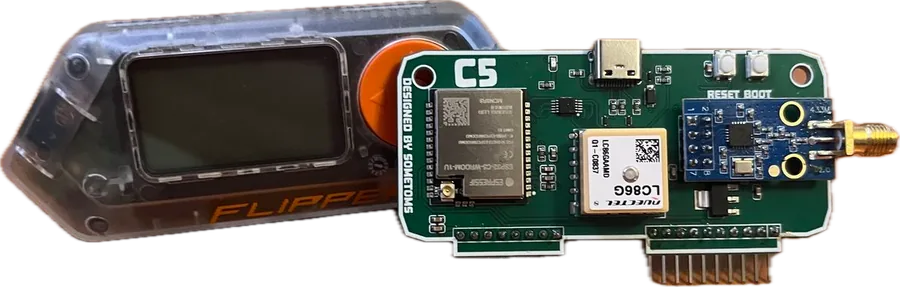
Hardware & contents 10 Processor ESP32-C3; RISC-V Wireless 2.4 GHz Wi-Fi and Bluetooth LE 5.0 Infrared Transmit and receive Display type Monochrome OLED Display size 0.66-inch screen in developer documentation; resolution unspecified Battery 500 mAh; approximately seven hours average use claimed by maker Body 65 × 42.5 × 15 mm; below 50 g Included Nano, USB-C data/charging cable, setup guide and stickers Optional case Silicone protective case sold separately Retail packs One, three, six or twelve devices Power & first setup 6 Charging switch Side switch must be ON to charge Power input USB-C and a stable 5 V supply Charge indicator Red LED indicates charging; off means complete when connected with switch ON Current setup Choose Wi-Fi and enter its password on the device; setup then downloads firmware Older shipped setup Some units use a phone/laptop captive portal instead; either flow is documented Multiple-device setup Optional Bluetooth pairing shares Wi-Fi credentials and Shiver identities among selected Nanos Firmware & recovery 5 OTA behavior On-boot Wi-Fi check prompts before updating; checks are enabled by default and can be disabled Web recovery Official web flasher installs setup firmware only; full releases arrive over Wi-Fi Recovery browser Desktop Chrome or Edge with Web Serial; Safari, Firefox and mobile browsers unsupported Documented SDK release v1.1.0, July 14, 2026, adds the USB host control plane Infrared files v1.1.0 host tooling reads/writes Flipper-style .ir files and transfers remote slots Shiver & computer use 6 Shiver minimum Two or more paired Nanos share state, files and commands without a phone/computer Pairing Pair over Bluetooth, then switch to the mesh; current firmware is recommended on every node Shared-radio limit Turn Shiver off for Bad-BT, Mini Keypad or Scroller persistent-Bluetooth functions Host tools Open-source Rust SDK/CLI controls compatible firmware over USB serial; standalone menus remain available Host requirement Computer with USB plus firmware containing the USB control plane Linux-only features Wi-Fi adapter mode and BLE HID bridge currently require Linux; other serial features vary by host No matching specification. Try a chip name, connector or feature.
What still needs checking OLED pixel resolution, flash/RAM capacities and PCB revision details remain unconfirmed. The 0.66-inch size comes from SDK/release documentation; no panel datasheet was established. Installed firmware and regional release must be checked on a purchased unit; documented host features do not establish its shipped version. Runtime, radio range and interoperability with unrelated mesh products were not tested.
Downloads & docs
Source & revision notes Maker listing checked Sep 15, 2026. Detailed documentation reviewed Sep 16, 2026. Not hands-on tested.
Price is a dated listing; confirm with the maker.
The current listing confirms an ESP32-C3 and monochrome OLED but does not substantiate the archive’s specific Seeed board or display resolution.
The maker quotes about seven hours of average use. Runtime depends on use and has not been tested here. Pack and single-device stock can differ.
Price read from the maker's shop on 2026-09-18: US$49.99 in black or clear, both in stock.
Retail pack sizes and Shiver device requirements describe different things. No Meshtastic compatibility is asserted.
Build or list hardware with us