Gadgets.sh

CircuitMess

CircuitPet

Program a handheld virtual pet.

Virtual petProgrammableUSB-C

Bring along
Original CircuitPet hardware and its maker guides.
Keep in mind
The old store URL now redirects to a different product.
Source checked · Sep 16, 2026
CircuitPet
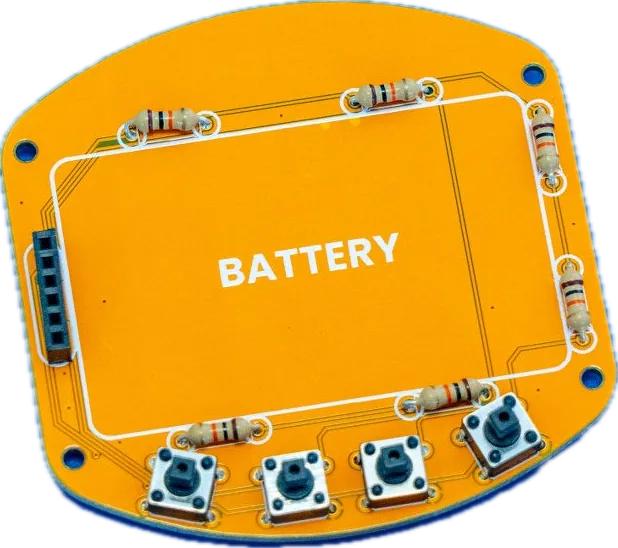
Image creditMaker anatomy photograph · original CircuitPet · CircuitMess

(02) Blueprint

What’s published

Schematics published

A dated hardware drawing PDF and an Arduino display library/firmware repo are public; no editable PCB source or Gerbers found.

Source 1

git clone https://github.com/CircuitMess/CircuitPet-Firmware.git

Key parts 2

Research notes

CircuitPet-v1.3.pdf verified 200 (canonical URL drops the ?v= query param). CircuitPet-Firmware repo (4 stars) has no license field; ByteBoi-style Arduino library only, no hardware directory.

Every link checked 2026-09-27.

Hand this device to your agent. Everything on this page, as clean Markdown and JSON: specs, shops, prices, design files, parts.

Made the CircuitPet? Put the badge on your README; it links here, with every shop that sells it.

gadgets.sh badge

Specifications

Build and package

5
Project
DIY virtual pet; approximately 2 hours; maker recommends ages 11+
Assembly
Soldering and case assembly; no previous electronics experience required
Tools to supply
Soldering iron, stand, solder, sponge, cutters, safety glasses and a 2 mm Phillips screwdriver; separate tool-pack variants exist
Electronics included
Main board, display board, LiPo battery, RGB LED, resistors, switch, headers, pushbuttons and caps
Case and extras
Front/back acrylic, stand, bolts, spacers, USB-C cable, lanyard, stickers and collector card

Hardware

6
Processor
ESP32-WROOM-32-N4 in the maker’s CircuitPet-v1.3 drawing
Display connection
Drawing labels a 1.77-inch TFT with a 14-pin connection
Display software
Official library configures an ST7735S panel at 128 × 160 pixels
Clock
BM8563ESA real-time clock
Power and USB
USB-C, CH340C serial interface, TP4054 charging circuit and two-pin JST 2.0 battery connection
Controls and feedback
Four button signals, reset, buzzer and RGB LED

Programming and source

4
Visual coding
CircuitBlocks over the USB-C computer connection
Arduino setup
Install CircuitMess ESP32 Boards using the maker’s package index, then select CircuitPet
First upload
Power the device on, connect USB, select its serial port, then upload the sketch
Firmware source
Maker publishes CircuitPet-Firmware with source and data directories
What still needs checking
  • Battery capacity, measured runtime, dimensions and weight remain unverified.
  • The display implementation describes a software target; physical panel markings and supplied board revision have not been inspected.
  • Current original-kit availability and packaging variants remain unconfirmed; Codee is a different product.
  • The anatomy guide describes an LED with a built-in controller; the linked schematic instead shows separate RGB channels. The LED controller type remains unresolved.
CircuitPetCircuitMess
Visit

Share this device